Skanlite
Read our comprehensive review of Skanlite, the lightweight KDE image scanning application designed for seamless flatbed and network document digitization.
If you need a hassle-free way to digitize physical documents and photos on Linux, the Skanlite image scanning application offers a remarkably clean and efficient solution. Developed by the trusted KDE community, this utility strips away the bloat often found in modern imaging suites, focusing entirely on making the scanning process as rapid and straightforward as possible. Whether you are archiving old family photo albums or digitizing office paperwork, it provides a highly reliable workflow tailored for flatbed hardware.
Why the Skanlite Image Scanning Application Stands Out
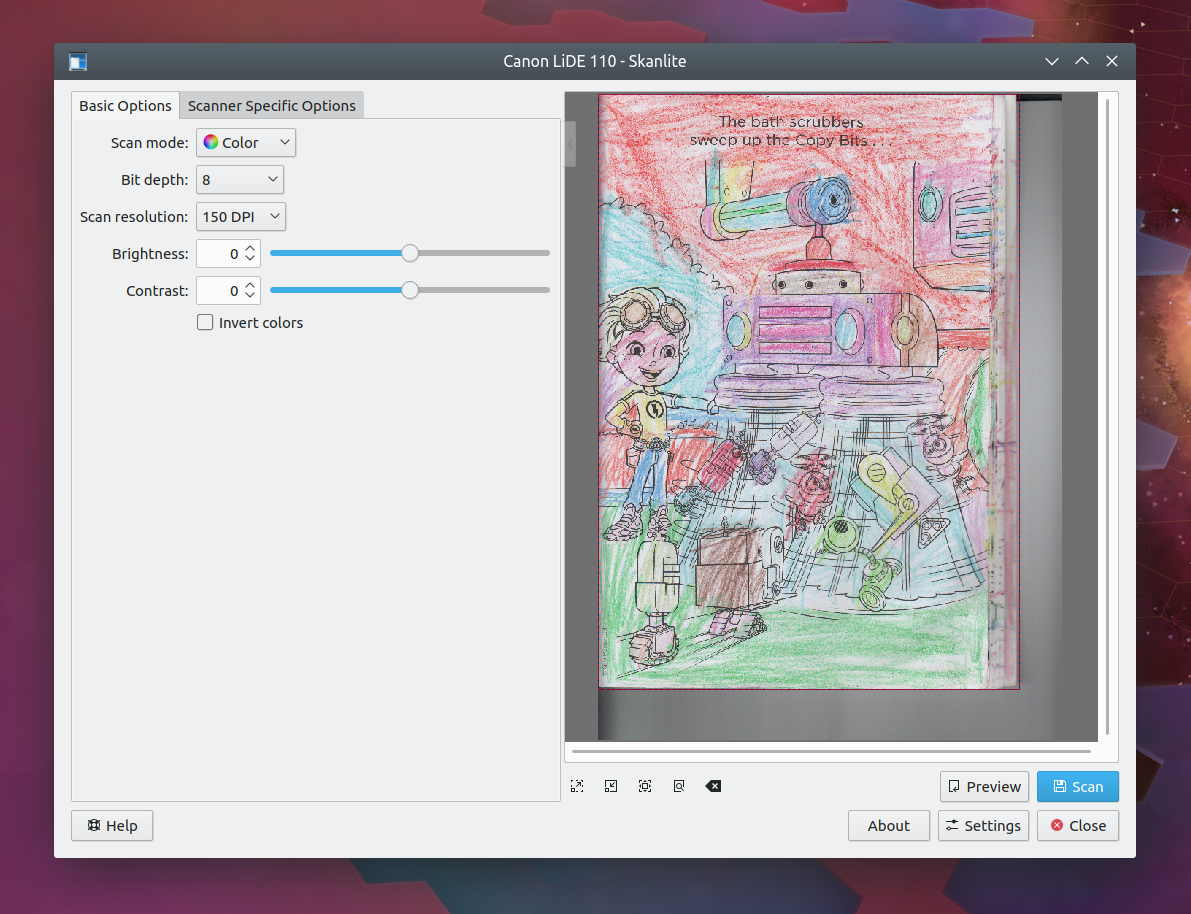
Many scanning utilities overwhelm users with complex configuration menus and unnecessary editing tools. The Skanlite image scanning application takes the opposite approach by prioritizing immediate usability. It is optimized specifically for flatbed scanners, ensuring that when you place a document on the glass, you can capture it in just a few clicks. For those with advanced hardware, the utility also supports transparent slide and filmstrip scanning, making it a versatile companion for digitizing older analog media formats.
Key Features for Streamlined Digitization
- Automated Saving Options: You can configure the software to open a save dialog for every individual scan, or set it to automatically save images directly into a designated directory using auto-generated file names and formats to save time.
- Network Scanner Compatibility: Beyond local USB connections, it seamlessly integrates with network-attached scanners, making it ideal for shared home or office environments.
- Interactive Preview and Selection: Perform a quick draft scan, preview the layout, and select only the specific regions of the page you want to capture in the final high-resolution pass.
- Multi-Selection Capabilities: Scan multiple distinct areas of a single flatbed layout at once, saving them as separate image files in a single operation.
Who Is This Scanner Utility For?
This software is an excellent match for Linux users who value simplicity and speed. Because it is lightweight, it launches instantly and does not consume excessive system resources. It is particularly beneficial for archivists who need to process large volumes of documents quickly using auto-save features, as well as casual users who simply want a dependable, no-nonsense tool to get their paper documents onto their computer screen.
Our Editorial Verdict
The Skanlite image scanning application succeeds by doing one job exceptionally well. By eliminating complex post-processing features and focusing on core scanner communication and file organization, KDE has delivered a highly dependable tool for the Linux desktop. If you are ready to streamline your document digitization workflow, you can explore the application and find setup options on its official listing on Flathub.